Small Business Websites, LLC
Professional Websites
for Small Businesses
Mobile-friendly Web Designs
Search Engine Optimized,
Clean, Modern and Affordable

We are an experienced website design firm based in Brewster, NY, serving clients across the United States and Canada. With more than 30 years of industry experience, we build modern, effective websites that help businesses stand out online.
 Our websites are built on WordPress, the platform trusted by over 60 million sites worldwide. We work with premium, high‑quality themes and customize every design to match your brand, your goals, and the way you do business.
Affordable, Responsive Website Designs
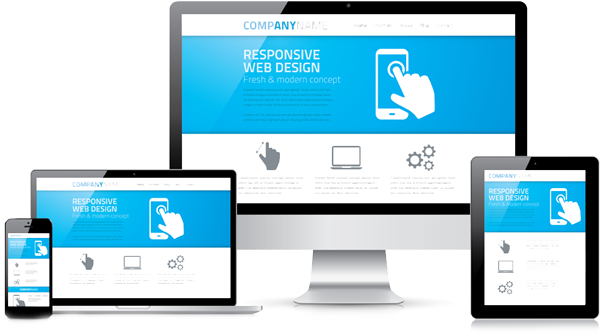
Professional websites shouldn’t be overpriced or out of reach. Our approach is fast, professional, and cost‑efficient—perfect for small businesses that need results without overspending.
At Small Business Websites, LLC, we build high‑quality sites for individuals and small businesses that need a strong online presence without the inflated agency cost.
Our focus is simple: an affordable, professional design that helps your business stand out. Whether you’re launching a personal portfolio, a new startup, or a local service business, we create fast, user‑friendly websites that make a strong first impression and keep visitors engaged.
What We Deliver
- Custom website design tailored to your brand and goals
- Responsive layouts that look great on phones, tablets, and desktops
- Easy content management so you can update your site anytime
- Clear, conversion‑focused structure to guide visitors to take action
Every project starts with understanding your vision. We work one‑on‑one to capture your style, your message, and the personality of your business—resulting in a site that feels uniquely yours.
Professional design, budget‑friendly pricing, and dedicated support are what set us apart. Your website should work as hard as you do, and we’re here to make that happen.
Ready to get started? Contact us for a free, no‑obligation quote and let’s bring your website to life.
View examples of our small business website designs to see the variety of designs we offer.
Getting Started is Easy

We make it easy for you to have an attractive, effective website for your business. We take care of the design and all technical details. You write the text for the pages on your site, because you know your business best. If you have pictures, we can use them. Otherwise, we can use stock photography to give your site visual appeal.
It’s as easy as 1 – 2 – 3. Here’s how it works:
 Call Us for a free consultation.
We discuss the style, general color scheme, how many pages your website will have, the pictures, and other details.
 You make an initial payment.
Then, based on your preferences, we create a mockup of your home page. This is uploaded to the Internet so that you can view it. Work continues.
 You review the full website.
We make minor changes if necessary, and the website goes live. The entire process can usually be completed in just a few days!
How Much Should a Small Business Website Cost in 2025?
 Many small business owners discover quickly that building a modern, professional website can be surprisingly expensive. Our goal is to make that process accessible and affordable without compromising quality.
A typical small‑business website includes essential pages such as Home, About Us, Services or Portfolio, and Contact, with the flexibility to add as many additional pages as your business needs.
Because a website is ultimately an investment in attracting new customers, it should pay for itself over time. In many cases, the cost of a business website may also qualify as a deductible expense, since it is considered an ordinary and necessary cost of doing business.
The look and feel of your website directly influence how customers perceive your business. A site that appears outdated or unprofessional can undermine trust before a visitor even reads a word. That’s why it’s essential for your website to look polished, modern, and visually consistent with today’s design standards.
We build on premium, high‑quality WordPress themes and tailor every detail to match your brand. The result is a clean, contemporary design that reflects the professionalism of your business.
Once your new website is complete, you owe nothing further unless you ask us to make updates or changes. You stay in full control, without ongoing fees or surprise charges.
An optional maintenance package is available.
Here are some estimates for typical website costs.
We recommend the best possible provider for each service listed, based on our experience. We have your back. For example, the cheapest hosting may be unreliable, so we won’t recommend it.
The biggest cost is for the web designer, which is the work we do.
Our fee varies according to the features and the complexity of the site. Our rates are less than half of what others charge.
We discuss your requirements with you and then let you know how much it will cost.
eCommerce is not included.

Domain Name
$0 to $20 per year

Web Hosting
$30 to $500 per year

Theme or Template
$0 to $100 (one time fee)

Professional Web Design
$100 to $5,000 plus

SSL Certificate
$0 to $249 per year
What Features Do I Get With My Website?
Let’s get started! Contact Us for a free no obligation consultation. We will be happy to answer any questions.
Best Business Websites
Small Business Websites, LLC has been designing websites for more than 30 years, giving us a level of experience that few firms can match. That experience allows us to deliver professional, modern websites at a cost far lower than most other desiners charge.

We Serve the Entire USA
We’re based in Brewster, New York, just north of New York City, and proudly serve clients locally and across the United States. Our work spans coast to coast, including businesses in California, Florida, Oregon, North Carolina, Conecticut, New York, New Jersey and more.

Get a Free, No-Obligation Quote
Click the mail icon to contact us for information or to request a free quote